
Build your own company of AI employees inside Claude Code
A company with 15 employees, and not one of them is human. Every employee is a Claude Code session with its own job, and above them sits a CEO, the only one you talk to. Here is the full method, step by step, using the same files we work with.
Why do most people struggle?
You become the manager, the secretary and the dispatcher, and your day goes on passing messages between sessions.
Every session invents its own way, quality changes every day, and the same mistake keeps coming back.
It posts, sends or spends on its own, and one mistake can cost you a lot.
One CEO you talk to, every desk its own session
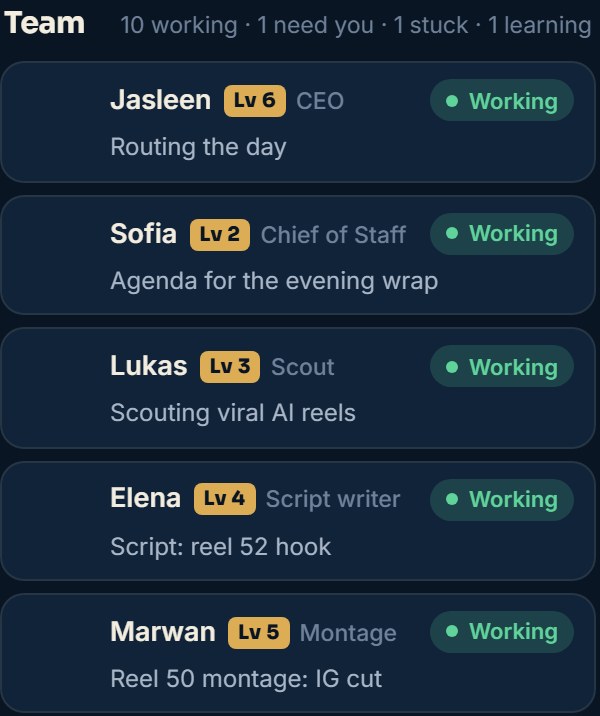
Open a Claude Code session and call it "CEO". It is the only one you talk to. Every desk (trends, scripts, editing, posting, website) gets its own session in the same project folder.
- The CEO takes your request, splits it and sends each part to the desk that owns it (sessions message each other with the SendMessage tool).
- Each desk works on its own and hands its report to the CEO, not to you.
- You see the result and give the approval. That's it.
A company handbook and a job description for every desk
Sessions don't remember each other. What turns them into one team is a set of written files in a folder called team, which every employee reads first.
team/the company folderREADME.mdcompany handbookchecklists.mdwhen work counts as "done"board-protocol.mdhow desks update the boardlevels.mdlevels and pointsjd/a job description per deskrituals/daily and weekly routines# Company handbook (team/README.md) Owner: [your name]. CEO: one Claude Code session, the only one that talks to the owner. ## The team - Scout: looks for trends and ideas every morning. - Writer: writes the script the night before recording. - Editor: edits the video in two cuts. - Publisher: schedules posts after the owner approves. ## Rules 1. Every report goes to the CEO, not to the owner. 2. Update the board: when you start, when you need the owner, when you're stuck, when you finish. 3. Posting, sending, spending, paying and changing settings: only with the owner's yes, each time. 4. "Done" means the whole delivery checklist passes (checklists.md). 5. Stay in your lane: anything outside your job goes back to the CEO. 6. Every correction from the owner becomes a written rule here. Write every reply in English.
# [Employee name]: [desk]
Reports to: the CEO

## Job
- [what it delivers, and how often]

## How
- the tools and files it uses
- the rules it must follow

## Hand-offs
- Receives from: [desk]
- Delivers to: [desk]

## "Done" checklist
- [ ] [condition 1]
- [ ] [condition 2]
- [ ] [condition 3]
One report format for every desk
When a desk finishes, it sends the CEO a report in the same shape every time, so the CEO can read 10 reports in a minute:
- The desk sends its report to the CEO, and the CEO collects them all.
- It only passes up to you what needs your decision.
- The CEO's report to you is short: the bottom line, what you need to do (0 to 3 things), and at most 3 extra notes.
Done: what you finished
Files / links: the exact path or link
Needs the owner: the decision needed, or "nothing"
Stuck: what blocks you, or "nothing"
Next: your next step, or "idle"
A live office board where you see everyone
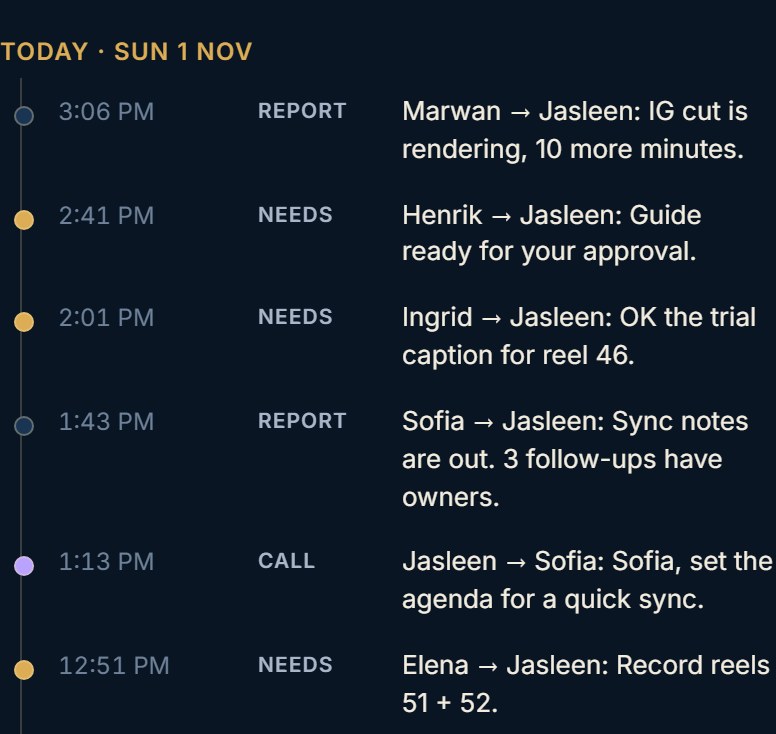
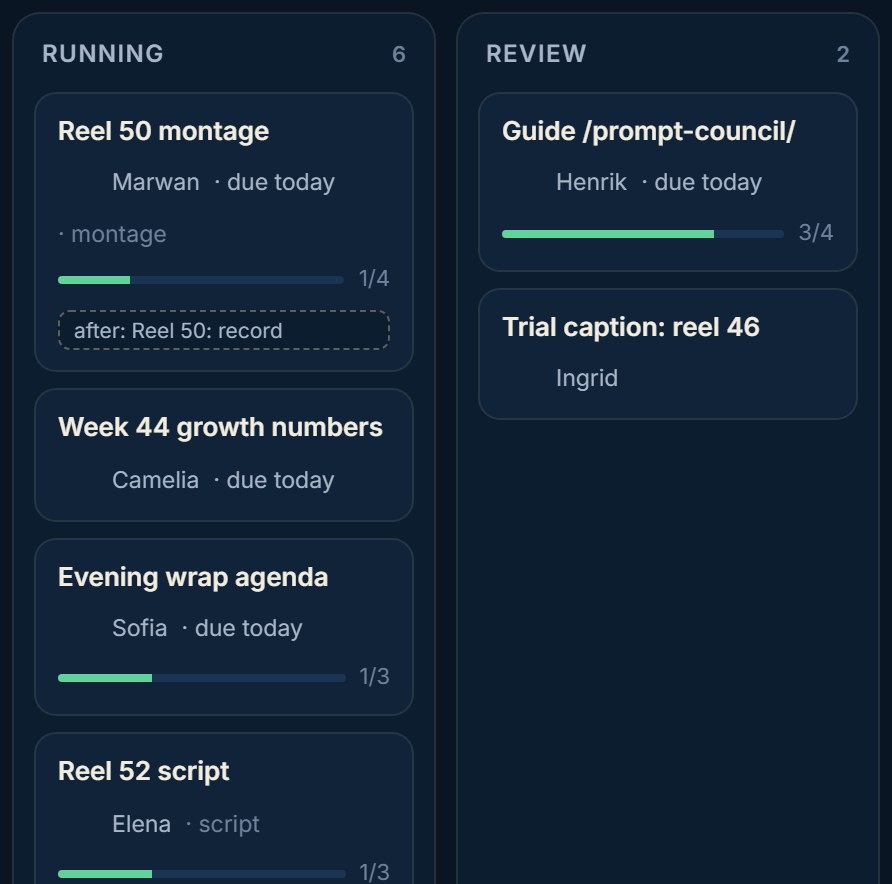
The board is a Claude Artifact page with a shared database. Every desk writes its status there, and you open it on your phone to see who is working and who is waiting for you.
- Ask Claude: "Make me an office board Artifact with a shared database."
- 4 collections are enough: staff (one doc per employee), events (what happened), tasks (the work), needs (what waits for you).
- Each employee has one state: working, idle, needs you, waiting on a desk, stuck, in a meeting, learning.
- Sessions write to the board with the ArtifactData tool.
Board protocol (short)

- Starting a task: state "working" + the task name + one short line.
- Need the owner: state "needs you" + a card in needs.
- Waiting on another desk: state "waiting" + the desk's name.
- Stuck: state "stuck" + a stuck event.
- Finished: add the delivery to recent + a report event to the CEO + state "idle".
- Read a doc before you write it, and write with its version number (if_version) so you never wipe someone else's work.
- Times are always 12-hour (for example 9:30 PM).
- If a board write fails, carry on with the work and mention it in your report.
Daily and weekly routines with scheduled tasks
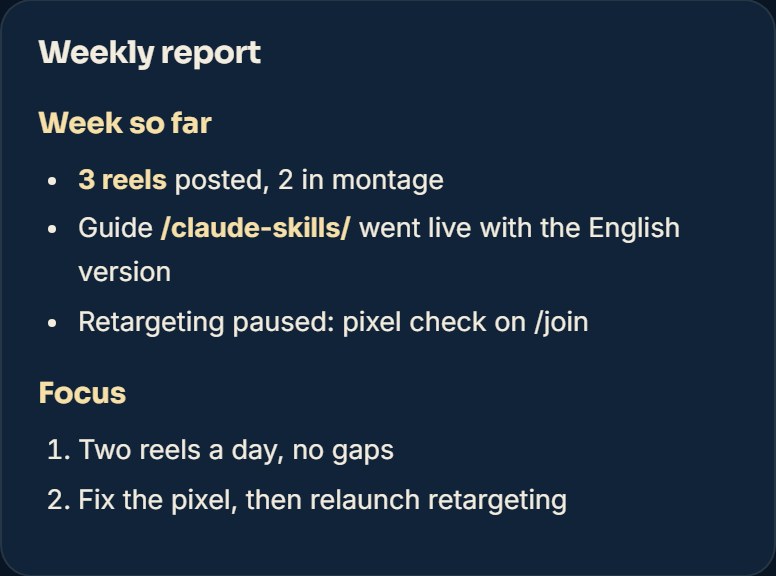
Scheduled tasks in Claude Code run a session on their own at a set time. This is the routine we run:
- 7:45 AM · Morning standup: every desk writes one line: yesterday, today, what blocks it.
- 8:00 AM · Morning brief: exactly what you have to do today, plus each desk's plan.
- 10:00 PM · Evening wrap: what got done, what slipped, and whether tomorrow's scripts are ready.
- Sunday 9:30 PM · Team all-hands: what worked, what broke, and how we fix it next week.
- 1st of the month · Monthly review: goals against the numbers, and a review of every employee.
- 3:30 AM · Night check: are the websites up? Did any task hang? Is there enough disk space?
Every day at 8:00 AM (your time):
Read the board: the tasks, what waits for the owner, and last night's wrap.
Write today's brief in days/[today's date]:
1. What the owner must do today (3 things at most).
2. Each desk's plan in one line.
3. A fallback plan for a hard day.
Never: post, send, pay or change any setting.
Write it in English.
A level-up system so every employee improves itself
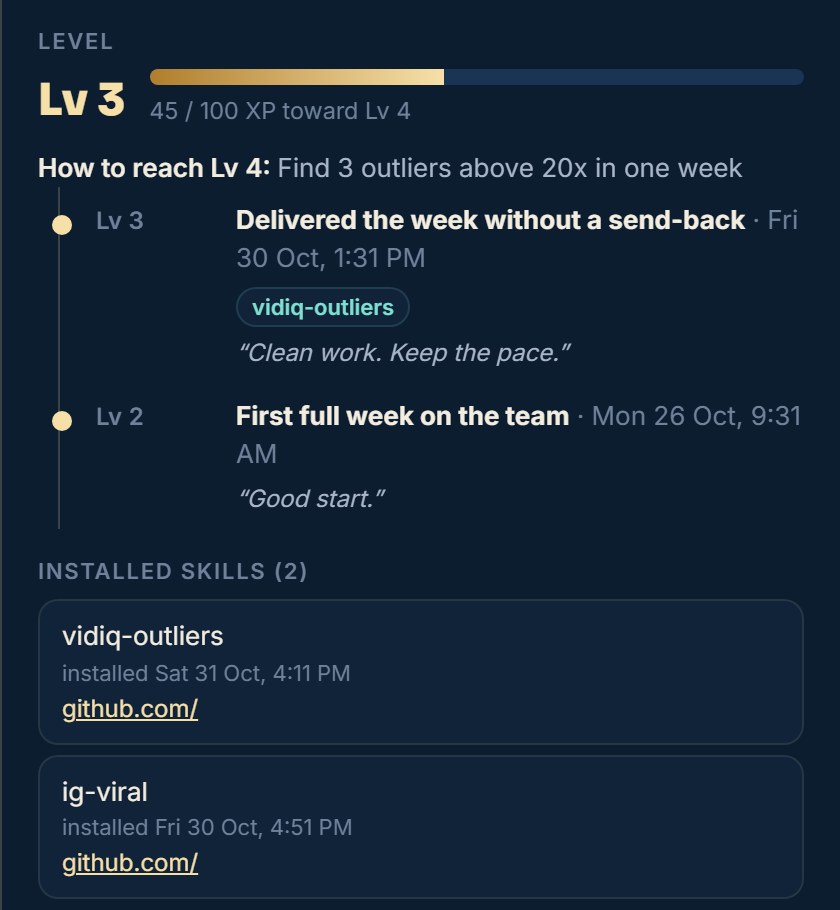
Every employee has a level from 1 (Trainee) to 10 (Legend), and earns XP from real work only.
- +10 XP when a delivery passes its "done" checklist the first time, and +15 when you approve it with no changes.
- Every level needs proof on top of the points: 5 clean deliveries, a measured improvement, a full week without a redo.
- The higher the level, the more trust: first it fixes its own tools, then it runs small experiments, then it coordinates with other desks.
- A weekly study hour: it searches GitHub for Skills that fit its job, and writes you a proposal with the source, what it improves (with a number) and the risk.
The big decisions stay with you
The most important rule in the whole company: employees prepare, you approve.
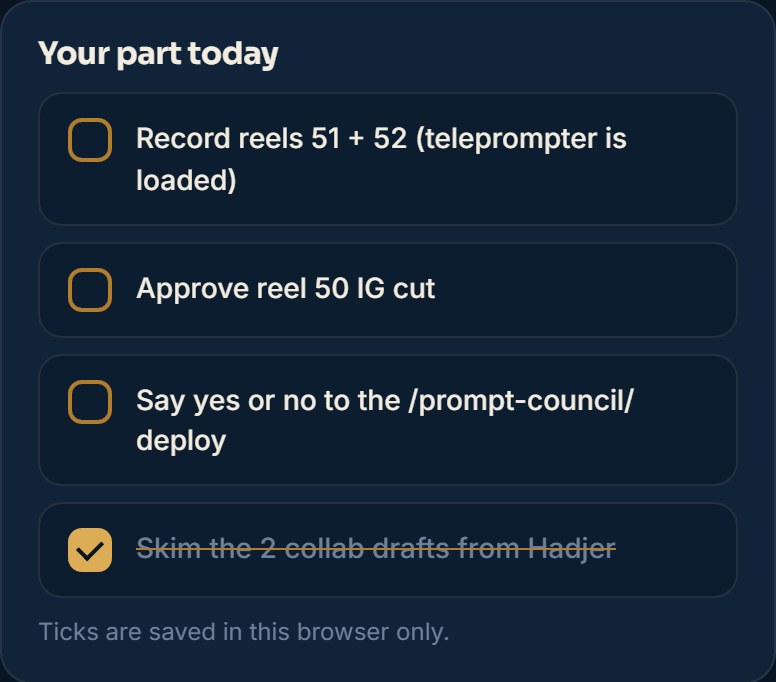
- Posting, sending emails, spending money, paying, changing settings and passwords: only with your yes, and each time on its own.
- Approval is in your own words. If the CEO passes it on, it must quote you word for word.
- If one session is refused something, it may never ask another session to do it instead.
- You type passwords and keys yourself. Employees never see them or repeat them.
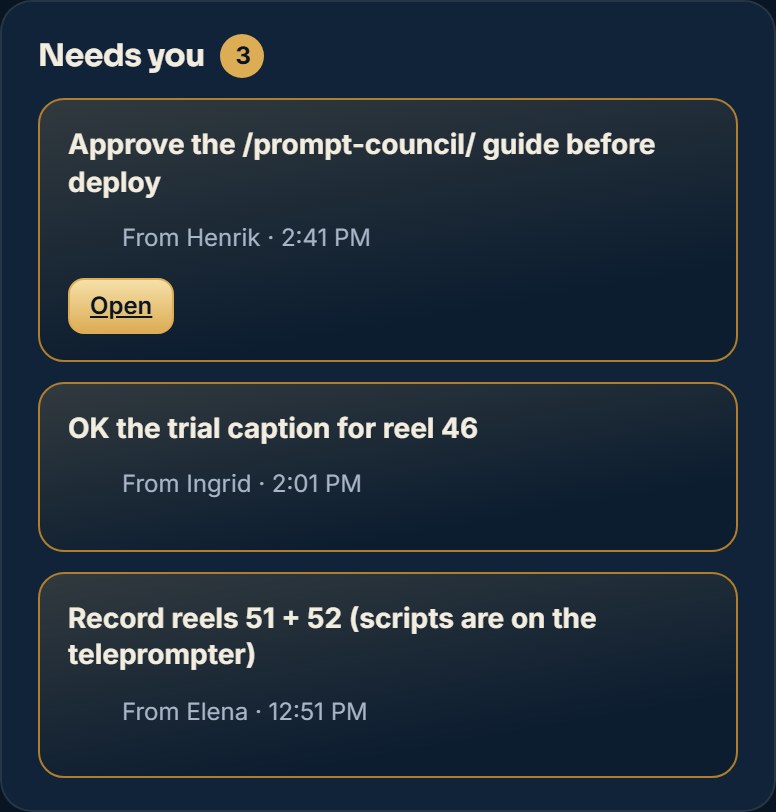
- Everything waiting for your decision shows up in the "Needs you" lane on the board.
Copy the prompt and start your company
Open Claude Code in a new folder and paste this prompt. It builds the whole structure, and you adapt the desks to your work:
I want to build a company of AI employees inside this folder. I'm the owner, and I want to talk to one session only: the CEO.

1. First ask me: what my business is, which work repeats every day and every week, and how many hours I can give.
2. Suggest 3 to 6 desks (each desk is its own Claude Code session), with two lines on each, and wait for my approval.
3. After I approve, create a team folder with:
   - README.md: the company handbook (team, rules, report format: Done / Files / Needs the owner / Stuck / Next)
   - jd/: a job description per desk (job, tools, hand-offs, "done" checklist)
   - checklists.md: a "done" checklist for every stage
   - board-protocol.md: when and how each desk updates the board
   - levels.md: 10 levels, XP from real work only, and what each level may do
   - rituals/README.md: morning brief, evening wrap, weekly all-hands, monthly review, night check
4. Make me a live office board Artifact with a shared database (staff / events / tasks / needs), with a "Needs you" lane.
5. Suggest the scheduled tasks for the routines, and run nothing before I approve.

Fixed rules:
- Any posting, sending, spending, paying, settings change or password = only with my yes, each time on its own.
- Never install a skill or tool before you show me its files.
- Times in 12-hour format.
- Write everything in English.
✅ Final checklist
- One CEO session, the only one you talk to.
- A company handbook and a job description per desk.
- One report format for everyone.
- A live board with a "Needs you" lane.
- Scheduled routines: morning, evening, week, month.
- A level-up system and a weekly study hour.
- Every post, send and spend needs your yes.
📚 We have more than 20 other free guides
More free guides? Tap here ↗Want to learn more?
In Nadr Community we teach Claude, content creation and ads step by step, across 5 tracks we keep improving (lessons are in Arabic):